
Self-Monitoring
Self-Monitoring → Schedule List asks the people who actually hold your assets to report on their condition, on a schedule, without ever signing in to Fisetra.
It answers a question the asset register cannot: not where is this asset but what state is it in. The person sitting in front of the laptop knows; a central asset team does not.
How it works
- Create a campaign covering a set of assets
- Fisetra generates an occurrence for each scheduled date
- Each occurrence emails the responsible people a personal link
- They report each asset's condition from that link
- You review the responses and close the occurrence
| Piece | What it is |
|---|---|
| Campaign | What is being monitored, by whom, and how often |
| Recurrence Master | Repeat patterns |
| Notification Master | Email settings and recipients |
| Condition Master | The condition options people choose from |
| Occurrence | One round of the campaign, on one date |
Set up the masters
Condition Master
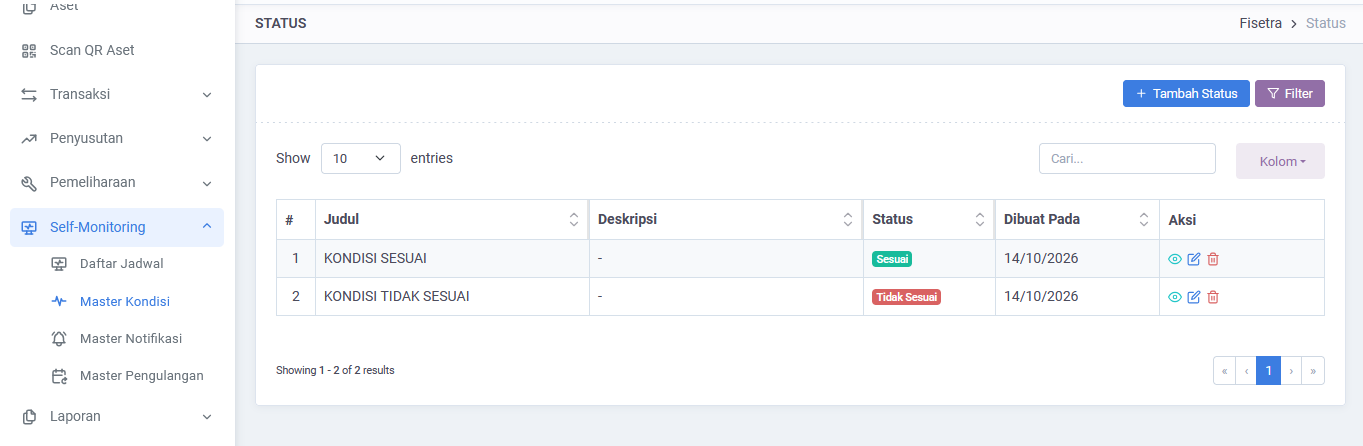
Self-Monitoring → Condition Master holds the conditions people can report — for example good, needs attention, damaged.
This list is the whole vocabulary of your monitoring, so design it before launching. Too few options and everything looks fine; too many and nobody chooses consistently. Five or fewer, clearly distinguishable, works well.
Recurrence Master
Recurrence Master defines the repeat pattern — daily, weekly, monthly or yearly, running a set number of times, until a date, or indefinitely.
Match the interval to how fast condition actually changes. Monthly checks on office furniture produce fatigue and unreliable answers.
Notification Master
Notification Master holds the email settings and who receives the request.
Create a campaign
- Open Self-Monitoring → Schedule List.
- Select the create option.
- Give the campaign a title, description and start date.
- Choose which assets it covers by filtering on category, location, or both.
- Choose the recurrence and the notification rule.
- Save.
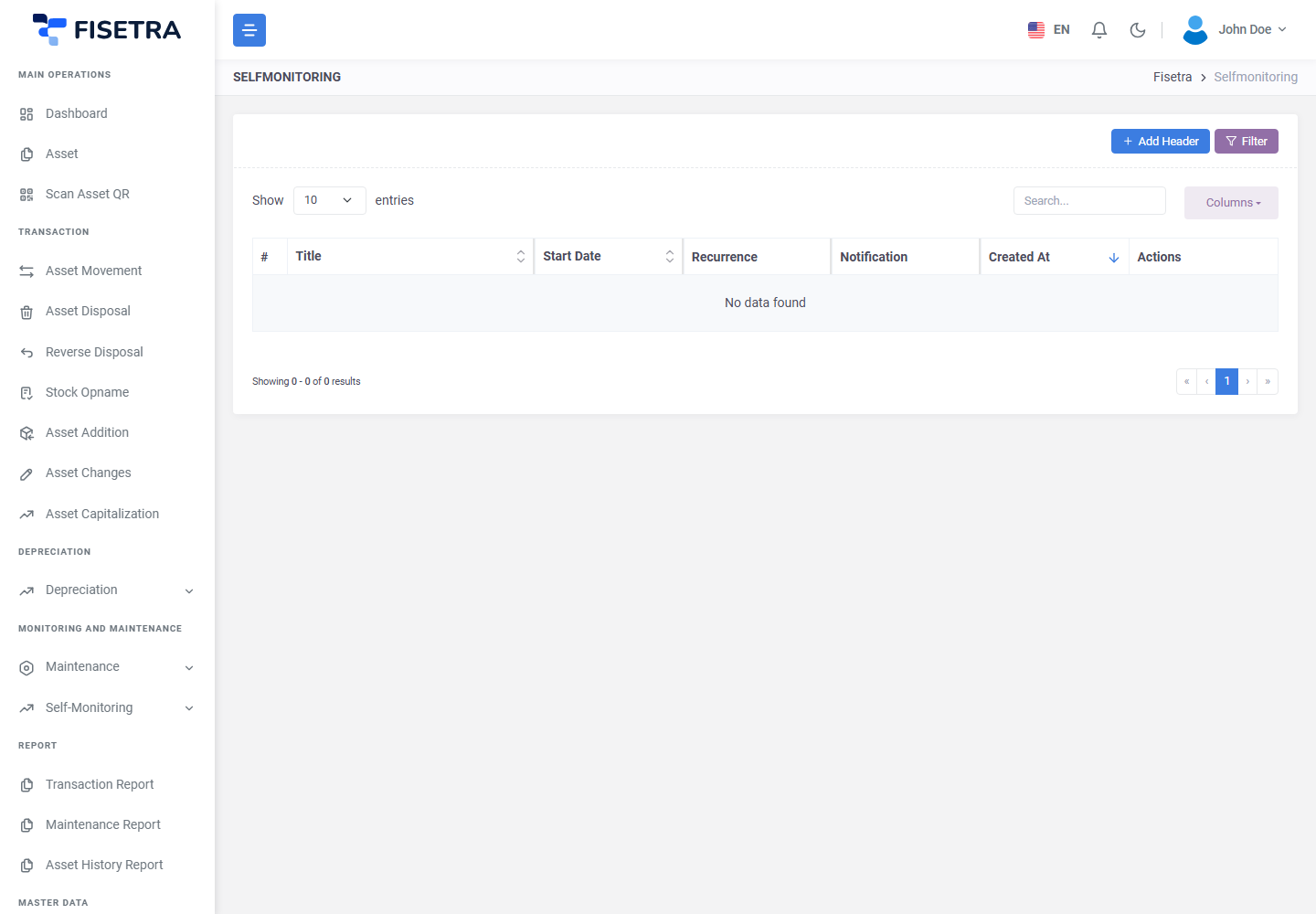
Scoping by category and location rather than by listing assets means the campaign keeps up with your register on its own: an asset added to that location later is simply included.
Fisetra generates the occurrences from the recurrence, each starting as NOT_STARTED.
Occurrences
| Status | Meaning |
|---|---|
NOT_STARTED | Generated, not yet sent |
IN_PROGRESS | Requests sent, responses being collected |
COMPLETED | Closed. No further notifications |
Only one occurrence per campaign is IN_PROGRESS at a time. When the next one starts, the previous one closes automatically — so a forgotten round does not sit open collecting stale answers.
Running an occurrence
Opening an occurrence shows its assets and the response progress.
| Action | When it is available |
|---|---|
| Send Notification | Not yet COMPLETED, and recipients remain unsent |
| Resend Confirmation | IN_PROGRESS, and recipients have not responded |
| Mark as Complete | Only while IN_PROGRESS |
Mark as Complete deliberately does not appear on a NOT_STARTED occurrence — a round that never went out cannot be closed as though it had.
What recipients see
The link opens a page listing the assets that person is responsible for. For each one they choose a condition, optionally add a note, and can attach a photo. Then they submit.
They can update their answers while the link is valid, and Fisetra records both the first submission and the last update, so a changed answer is visible rather than silently overwritten.
No account, no password, no training required.
WARNING
The link is personal and single-use. Do not forward a Self-Monitoring email — the recipient would be reporting as someone else.
Reviewing responses
The occurrence shows each asset's reported condition, the note, the attachments and the timestamps. Attachments submitted from the public page can be downloaded individually or together.
Reports are information, not actions. Fisetra does not change an asset because someone reported it damaged. Act on what you find:
| Reported | Follow up with |
|---|---|
| Damaged or needing repair | A maintenance event — Maintenance |
| In the wrong place | Asset movement |
| Beyond repair | Asset disposal |
| Condition status is wrong on the record | Asset changes |
Self-Monitoring or Maintenance?
| Question | Use |
|---|---|
| What condition is this asset in? | Self-Monitoring — asks the holder |
| This asset needs servicing | Maintenance — schedules the work |
They pair naturally: Self-Monitoring finds the problems, Maintenance fixes them.
Common problems
| Problem | Why | What to do |
|---|---|---|
| No occurrences generated | No recurrence, or the pattern has ended | Check the campaign's recurrence |
| Recipients did not receive the request | Not sent yet, wrong address, or mail is queued | Check the occurrence and use Send Notification |
| Mark as Complete is missing | The occurrence is NOT_STARTED | It must be IN_PROGRESS first |
| An occurrence closed on its own | The next one started | Expected — only one runs at a time |
| A recipient's link no longer works | It expired, or the occurrence is closed | Use Resend Confirmation while it is IN_PROGRESS |
| An asset is not in the campaign | It is outside the category and location filters | Adjust the campaign scope |
| Everyone reports the same condition | The condition list is unclear, or checks are too frequent | Revise Condition Master or the recurrence |